


Do you find it hard to make your business visible on Google Maps or in other local search engines in the UK?
If you are, you’re not alone; thousands of UK businesses miss out on potential customers every day simply because their Google Business Profile (GBP) isn’t properly optimised. Google’s profile is a brand that people tend to see first. In case your business is based in the UK and you serve its customers, it is necessary to optimise your Google Business Profile (GBP). Your profile is your online shopfront since it will rank higher in Google Maps to get local leads.
In this blog, you’ll learn step-by-step methods that can be used to make the most out of your Google Business Profile to audiences in the UK, get better local ranks, attract actual customers, and ensure that your brand takes over search results on Google search and Google Maps.
What is Google Business Profile (GBP)?
Google Business Profile is a free Google tool that allows managing the way your business is represented in local search. It contains your name and address, phone number, reviews, photos, opening hours, etc.
When a person types in a coffee shop near me or our SEO agency, MHAFs, Google listings use GBP to display businesses in the area that can be trusted.
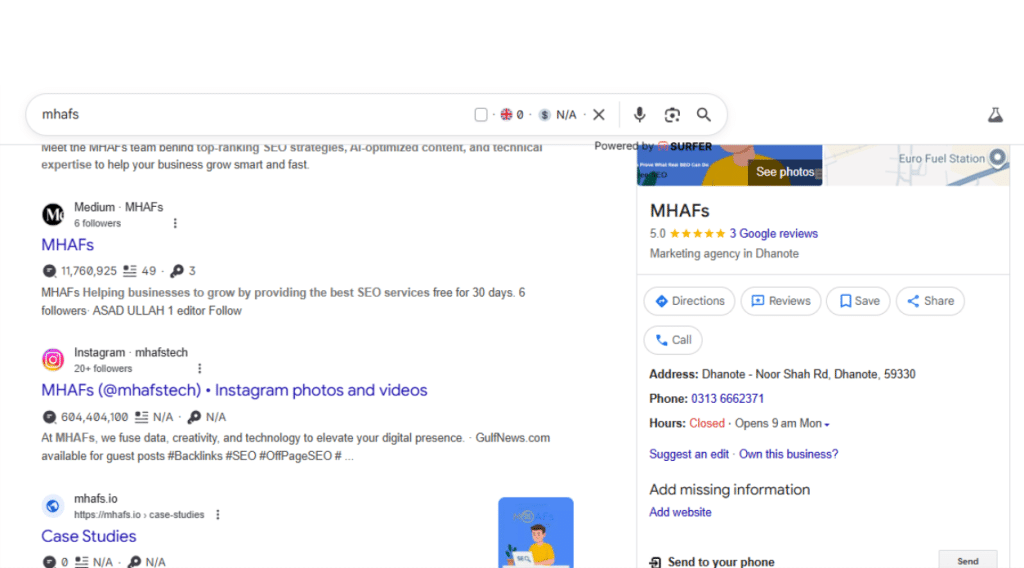
Why It Matters
- It is one of the means to make your business appear on the Local Pack and Google Maps.
- It creates credibility among customers by using reviews and confirmed information.
- It enhances your click-through rate because it provides instant information to the user.
Why GBP Optimisation Matters for UK Brands?
Boost Local Visibility
Optimised GBP will boost your position in the Top 3 Map Pack, where the majority of the clicks occur.
Attract Local Customers
Be there when consumers near you are willing to purchase. Research reveals that 78 percent of local search translates into a purchase in 24 hours.
Build Trust Through Reviews
Both the profiles that contain photos and those with the recent updates receive 35 percent more clicks than the incomplete profiles.
Increase Clicks and Conversions
Both the profiles that contain photos and those with the recent updates receive 35 percent more clicks than the incomplete profiles.
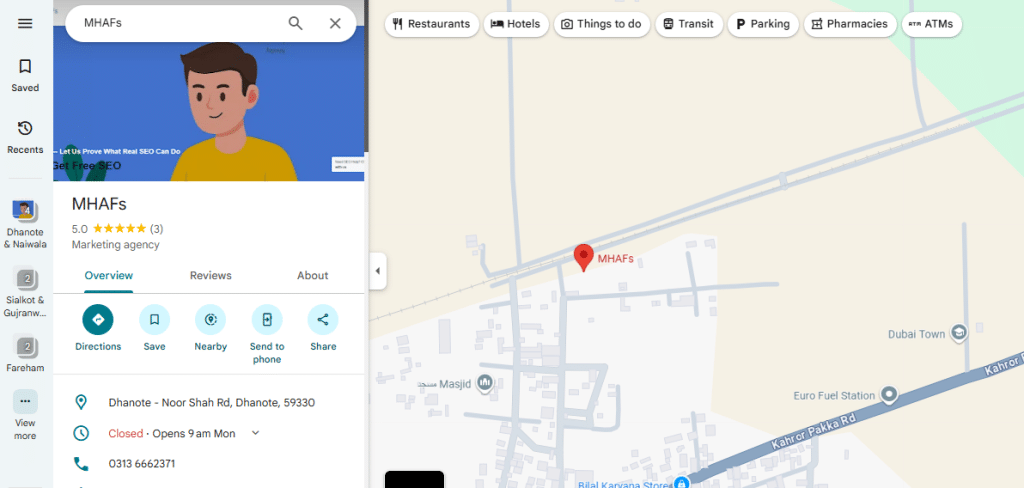
How to Optimise Your Google Business Profile
This is how I would suggest that you configure and optimize your GBP to achieve the maximum.
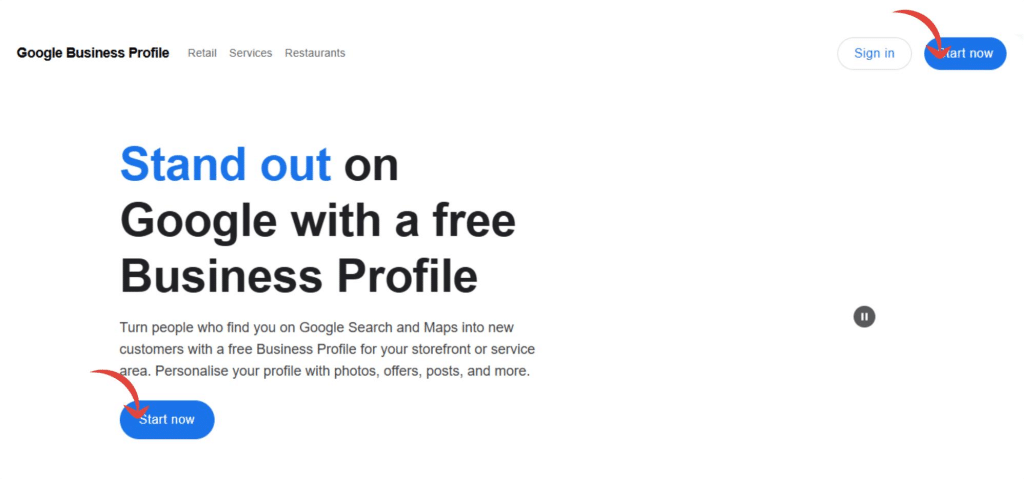
1. Verify Your Business
Visit Google Business Manager and take a listing.
- Checking is typically done through a postcard, although some businesses in the UK can check through phone or email.
2. Keep NAP Consistent
Your name, address, and phone number (NAP) should be consistent in your websites, directories, and social sites.
- Example:
- Name: The Bakehouse Café
- Address: 7 King Street, Leeds LS1 2HQ
- Phone: +44 113 123 4567
Avoid stuffing your name with keywords — Google will flag it as spammy.
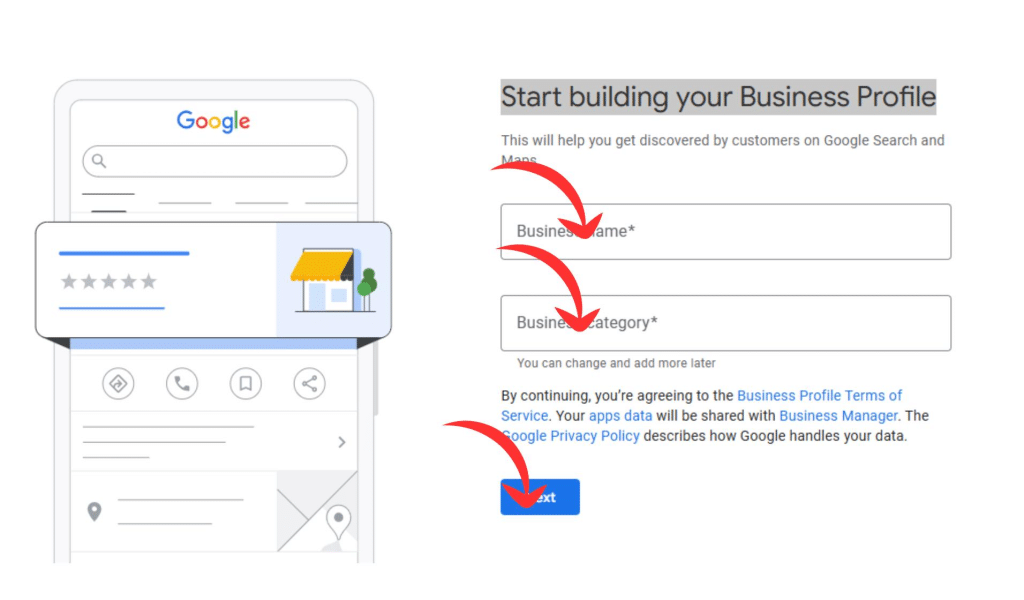
3. Enter the category of your Business
Select the type of business that you have and proceed to the next step.
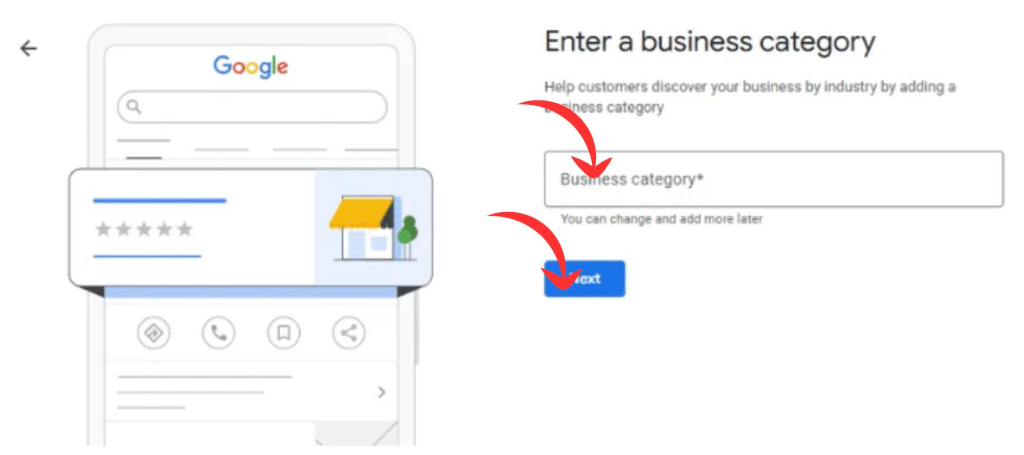
4. Add contact details
Enter all the contact information to display users and proceed to the next stage. This will make the users to access you.
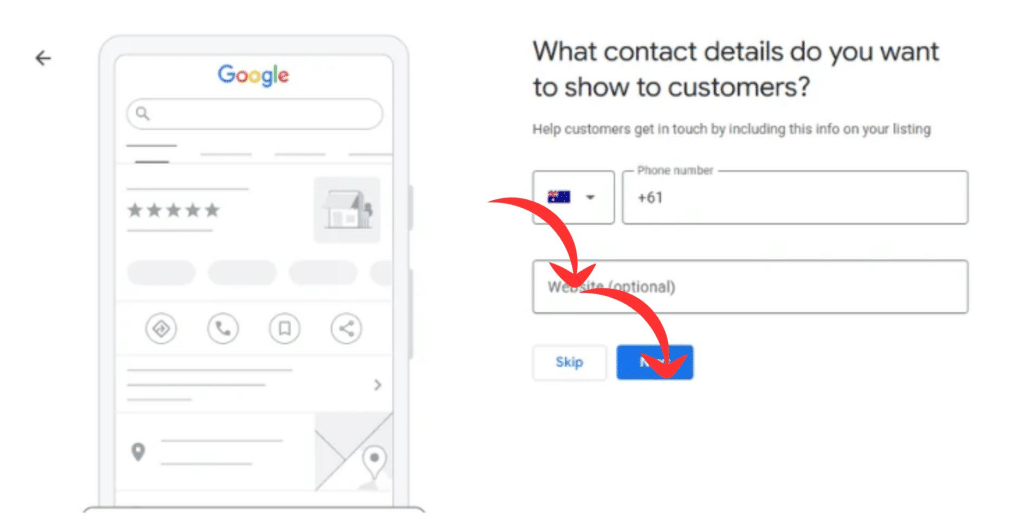
5. Write a Compelling Business Description
You have 750 characters — use them wisely.
✅ Example:
“At The Bakehouse Cafe, I make fresh pastries and handcrafted coffee every day in the centre of Leeds. You will always receive a warm welcome, whether you need a quick espresso or you want to enjoy a relaxing brunch.”
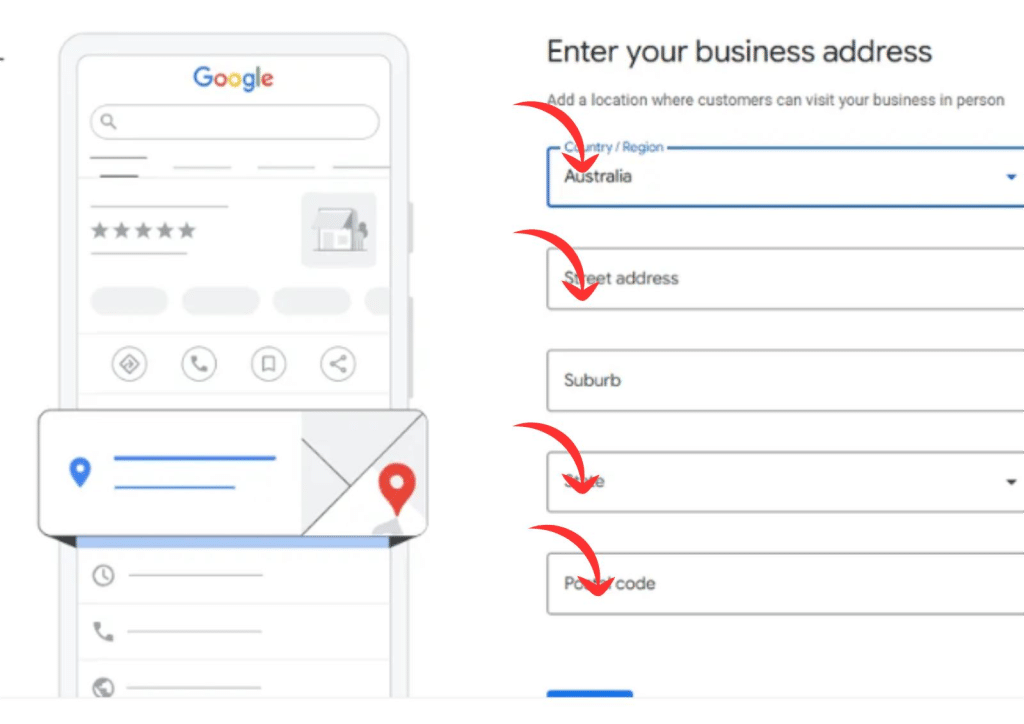
6. Enter the Right Business Address
Enter the right business address to facilitate easy access by users.
Examples:
- Plumber → Heating Engineer
- Estate Agent → Property Consultant
- Florist → Gift Shop
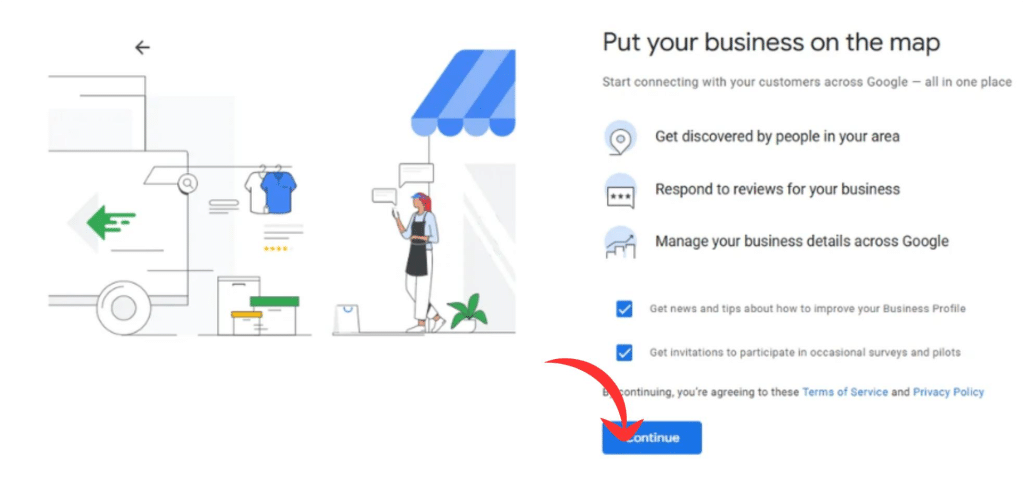
7. Put your business on the Map
Enter your business on the following map and proceed. This will make your target able to get to the precise location through Google Maps.
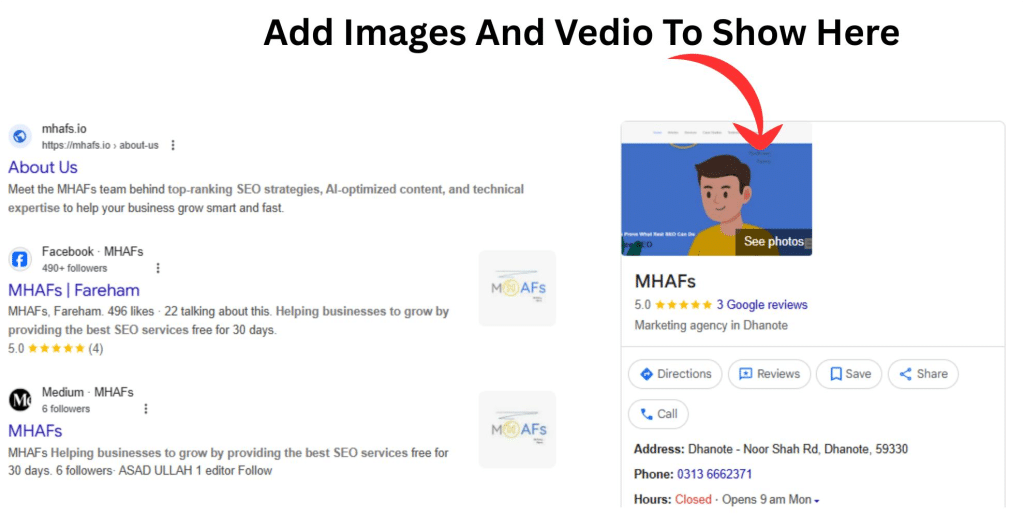
8. Add Products and Services
List your key offerings clearly.
Add short descriptions and prices as much as you can–this will make Google scan your business against search intent.
9. Manage Reviews Actively
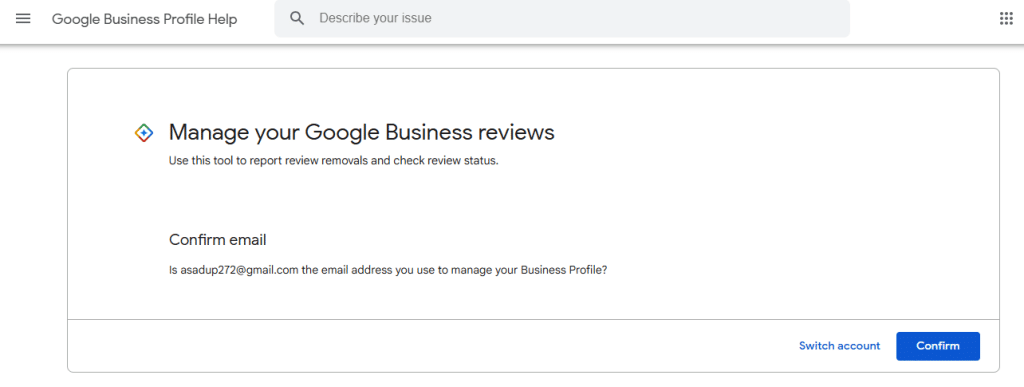
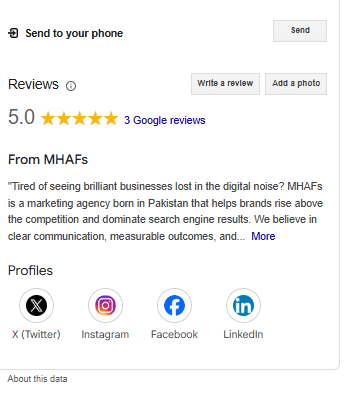
Request the customers to drop candid remarks. Always respond – this is a sign of caring.
- Positive review response:
- “Thanks so much for your feedback! I’m delighted you enjoyed your visit.”
- Negative review response:
- “Sorry to hear that — please email me directly and I’ll make it right.”
10. Post Regularly
Promotions, events, or updates should be done using Google Posts.
You should post weekly to make your profile fresh and increase visibility.
11. Use Q&A and Messaging
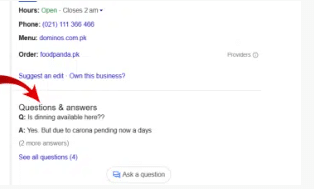
Make messaging a possibility and react with haste.
Ask questions in the question and answer section – Google ranks it, giving it additional exposure.
12. Track Performance
Look at your Insights to track views, calls, direction requests, and clicks on your website.
Connect your GBP with Google Analytics and Search Console and monitor engagement on a minute-by-minute basis.
Advanced GBP Optimization
After creating your fundamental profile, it is time to get some sophistication. The steps can be used to make you a winner over the competition.
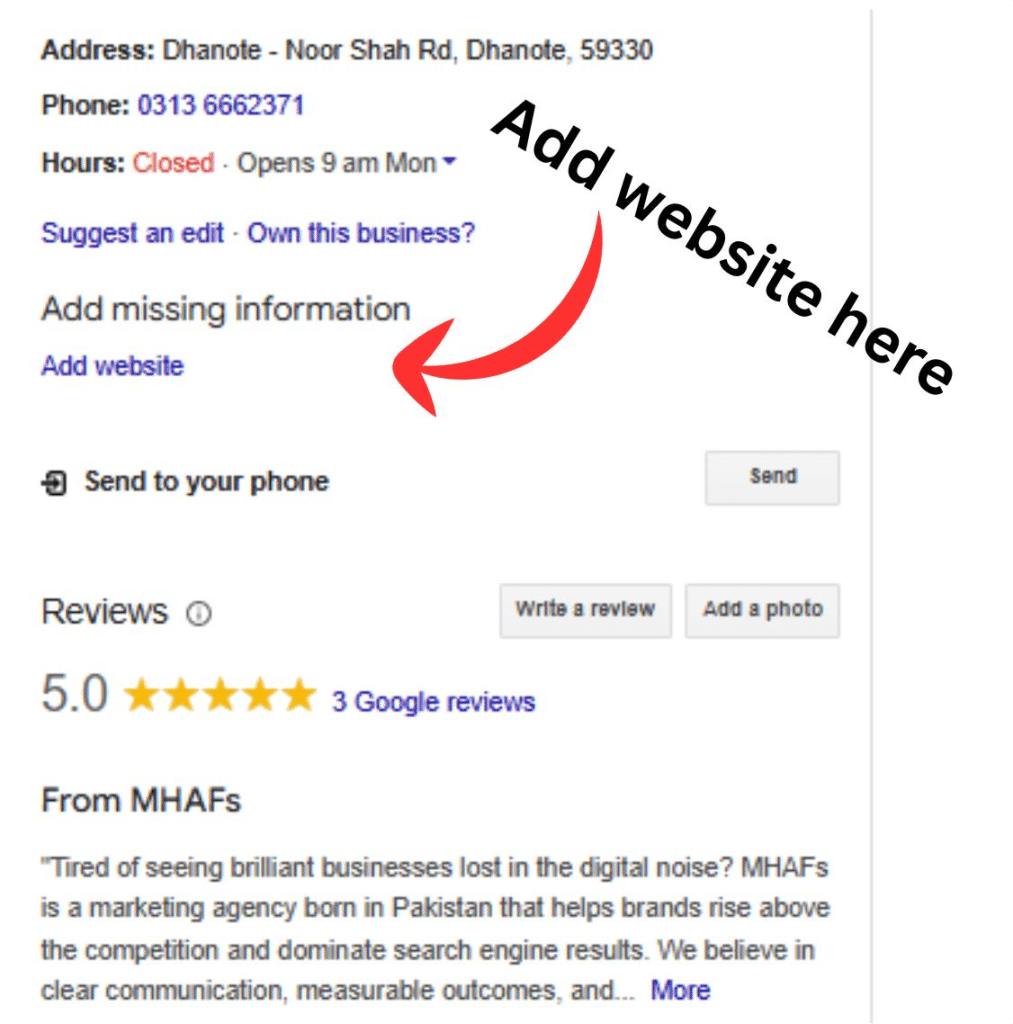
1. Add UTM Tracking to Your Website Link
UTM parameters enable you to monitor traffic from your GBP to your site using Google Analytics. It assists you in calculating conversions and visits.
2. Use Local Schema Markup
Create a basic schema on your site ( LocalBusiness schema ) to help Google tie up your site and GBP.
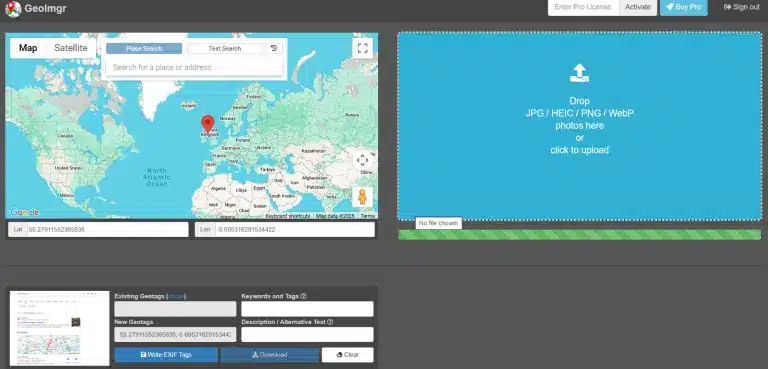
3. Geo-Tag Your Images
Tag photos to your places of business before posting. To do this, you can use such tools as GeoImgr.
4. Create Location-Based Posts
Provided that your business functions in more than one city in the UK, make posts or offers in accordance with each city.
5. Optimize Your Profile for Voice Search
Voice search is used by a great number of people in the UK. Use real-life sentences, such as Where can I find the best barber nearby?
Common Mistakes to Avoid
A lot of UK brands commit minor errors that lead to their disadvantage. Avoid these errors:
- Use of fake addresses or virtual offices.
- Including keywords in your company name.
- Not updating opening hours.
- Ignoring customer reviews.
- Posting poor-quality or irrelevant photographs.
- Poor consistency in the NAP information.
- Not verifying your business.
- Forgetting to post updates.
- Not responding to messages.
- Using duplicate profiles.
Remaining the same and open is useful to earn short-term credibility.
Google Business Profile Optimization Checklist (UK)
Here’s a quick reminder checklist for you to follow:
- Verified GBP profile
- Accurate NAP data
- Relevant categories chosen
- Business description added
- 10+ high-quality photos uploaded
- Products/services listed
- Hours updated
- Reviews monitored and replied
- Regular Google Posts created
- Insights reviewed monthly
Frequently Asked Questions
-
1. Does Google Business Profile offer free services to businesses in the UK?
Yes, it’s completely free. It only requires a Google account to administer.
-
2. What is the time taken to be ranked higher after optimization?
Normally, it takes between 2 and 8 weeks, depending on your competition and consistency.
-
3. Is it possible to optimise more than a single business location?
Yes, it is possible to have multiple locations that are verified in the same account.
-
4. How do reviews affect ranking?
Favorable reviews enhance reputation and ranking signals on Google Maps.
-
5. Can I add keywords to my business name?
Do not stuff your keywords with keywords; use your official brand name.
Conclusion
The best trick you can make in the UK brand is to optimize your Google Business Profile. It is your online business card, local advertisement, trust builder, and more. By writing and doing all the actions I have detailed, you will have a profile that is appealing to the correct audience, turns visitors into customers, and multiplies long-term trust with the people you serve.
Start today, update your photos, write engaging posts, and encourage reviews. Every upgrade that you make will bring you closer to overtaking local search results in the UK. You can also opt for our National SEO services to get ranked in the UK.