


If you’ve ever wondered, “Can I really do SEO myself?” — the answer is yes, 100% yes. You don’t need to be a tech genius or an agency owner to get your website ranking. You need to understand what truly matters and apply it consistently.
In this guide, I’ll walk you through all that I have personally learned through SEO in the field, how to do it now by hand, with all the key features of the research of keywords, optimization of the content, backlinks, and the newest techniques of AI-driven SEO in 2026.
By the end, you’ll know exactly how to:
- Find keywords that people actually search for
- Optimizing your pages so Google loves them
- Build authority without buying a single backlink
- Keep your site fast, secure, and ranking-ready
Whether you’re a small business owner, a blogger, or someone just tired of guessing what SEO really means, this is your step-by-step playbook. You can also get our SEO services in the UK.
What SEO Actually Is
SEO or Search Engine Optimization entails making your website more accessible to people, more familiar and reliable, and to the search engines, such as Google, easy to comprehend.
At this point, SEO has evolved into creating a site worthy of ranking since it is:
- ✅ Helpful for people
- ✅ Fast and mobile-friendly
- ✅ Trustworthy and relevant
In simple words:
” SEO = ensuring that your Web site is simple and easy to explore and navigate by humans and by web search engines. “
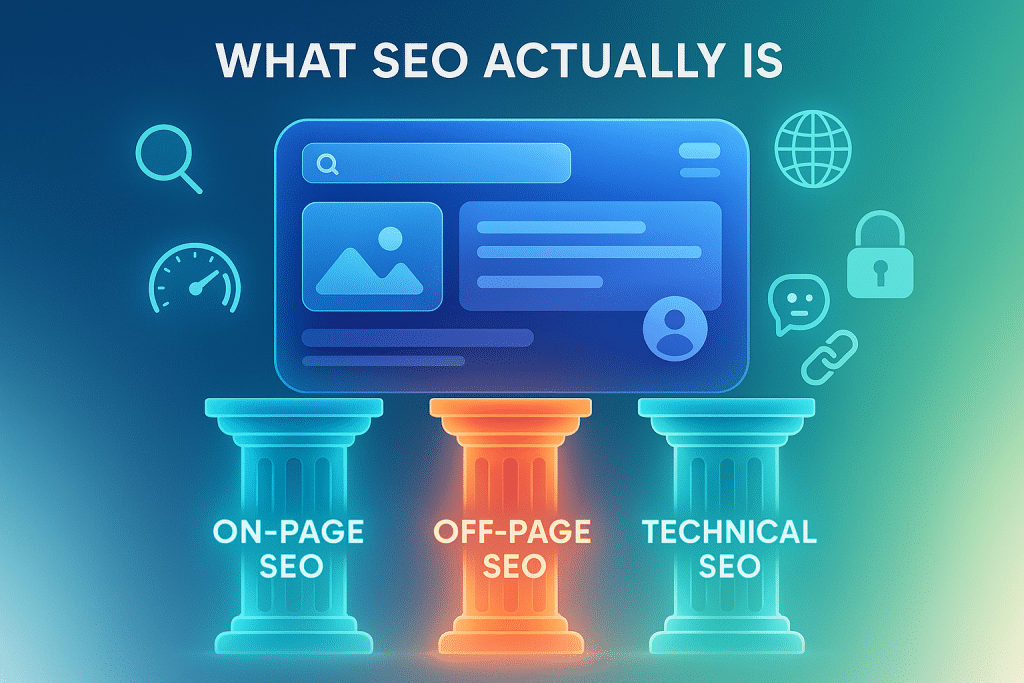
SEO has three primary pillars, which are:
1. On-Page SEO
All that is occurring on your website is your content, your meta tags, your pictures, your construction, and the readability of it.
2. Off-Page SEO
Anything that occurs off of your website, including backlinking, mentioning, and reputation.
3. Technical SEO
Here is the peek under the hood of the site: speed, indexing, mobile usability, security (HTTPS), and structured data.
Once you have these three pillars in balance, then you are already 70% ahead of most beginners.
Keyword Research
Below are the ways you can identify your own keywords:
Use Free Tools
You don’t need expensive software. Start with:
- Google Keyword Planner – Free and accurate.
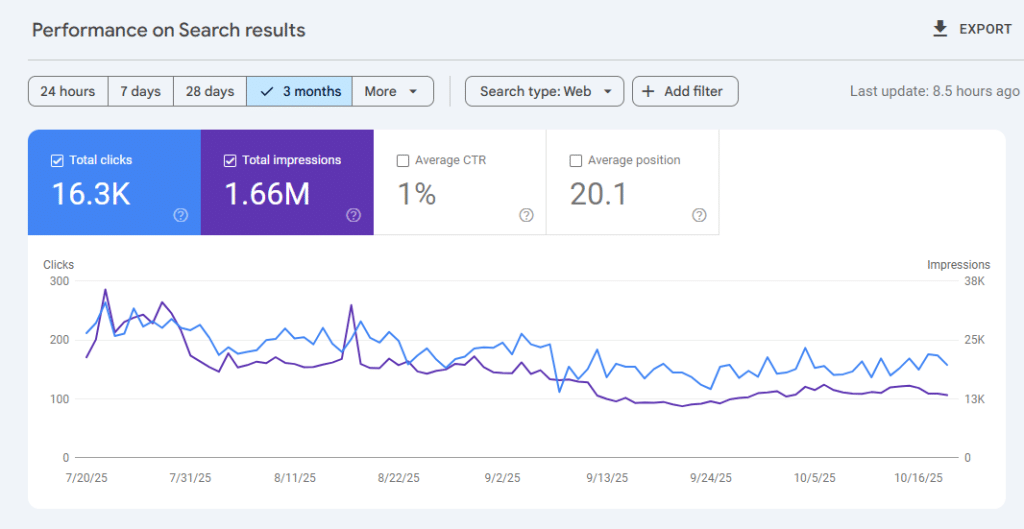
- Google Search Console – search engines indicate what people are already searching to locate your site.
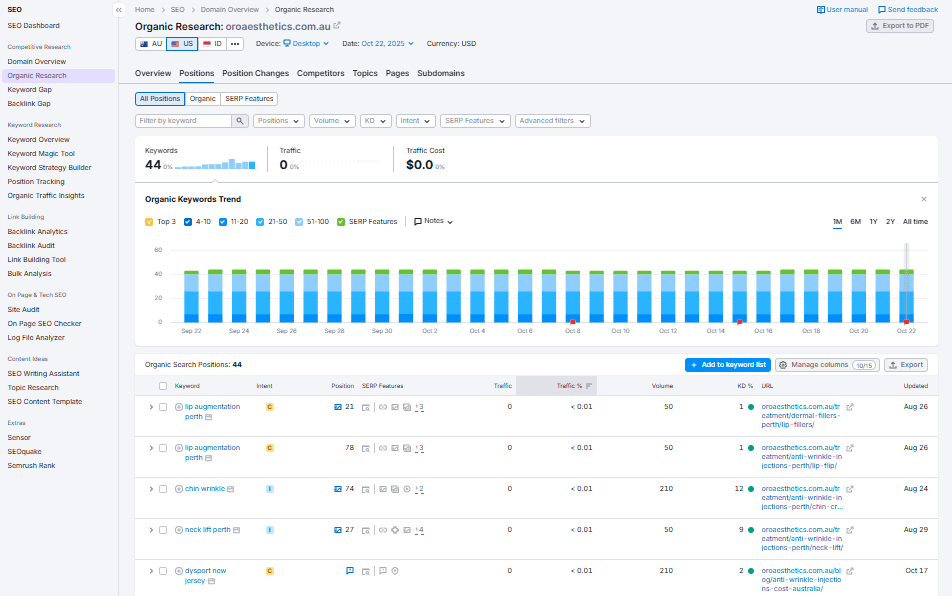
- Ubersuggest or Ahrefs Free Tools – This is a great tool that can be used to find related words.
- AnswerThePublic – Ideal in relation to querying.
- Google Autocomplete & “People Also Ask” – Reality gold on user intent.
Focus on Search Intent
Every keyword has an intent:
- Informational: “How to do SEO yourself”
- Transactional: “best SEO course for beginners”
- Commercial: “SEO tools comparison”
Target long-tail keywords like:
- “How to do SEO for free”
- “SEO for small business website”
- “How to rank a blog on Google without paying”
They are simpler to rank and attract better-qualified traffic.
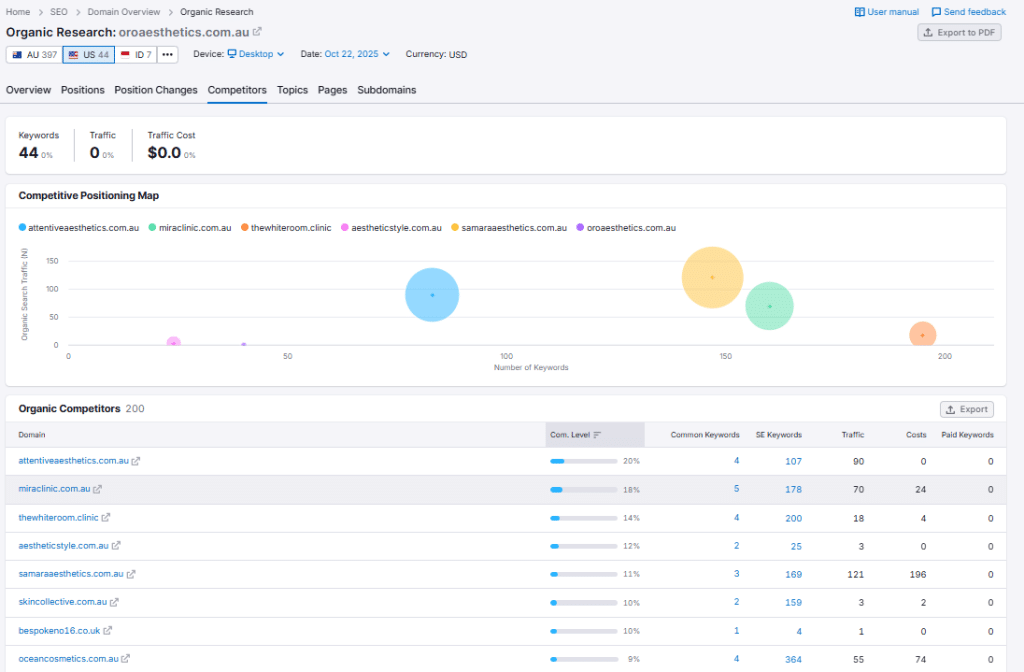
Check Competitors
Visit Google, type in your keyword and check the first 5 results.
Ask yourself:
- What subtopics do they cover?
- How do they structure the article?
- What FAQs do they include?
Next, compose something more, something clear, more detailed and useful.
On-Page SEO
This is where you make the most out of your content so that Google will immediately know the content of your page.
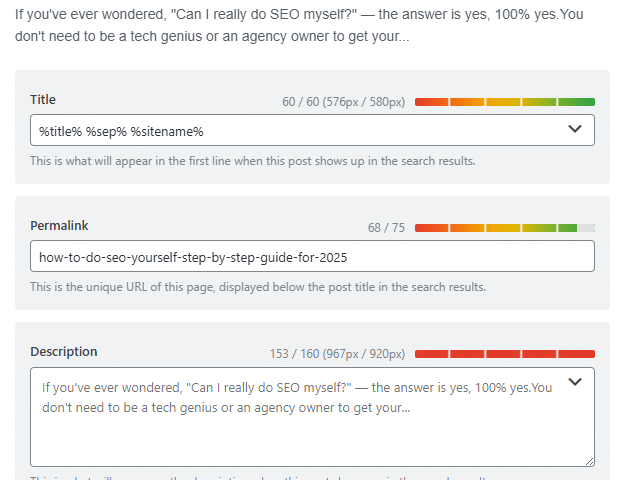
1. Title Tag
Keep it under 60 characters and add your main keyword early.
Example: “How to Do SEO Yourself (Step-by-Step Guide for 2026)”
2. Meta Description
Write around 150-160 characters. Make it click-worthy.
Example: “SEO step-by-step guide (learn how to do it yourself). How to rank higher, be visited, and learn SEO without hiring a professional.”
3. Headings (H1–H3)
Use one H1 for the main topic and H2S/H3S for subtopics.
This makes it easy to scan your content by the readers (as well as your search engine).
4. Keyword Placement
Use your main keyword naturally in:
- The first paragraph
- Headings and subheadings
- There are occasions like the few in the post.
Do not stuff keywords; it is murderous to the eyes.
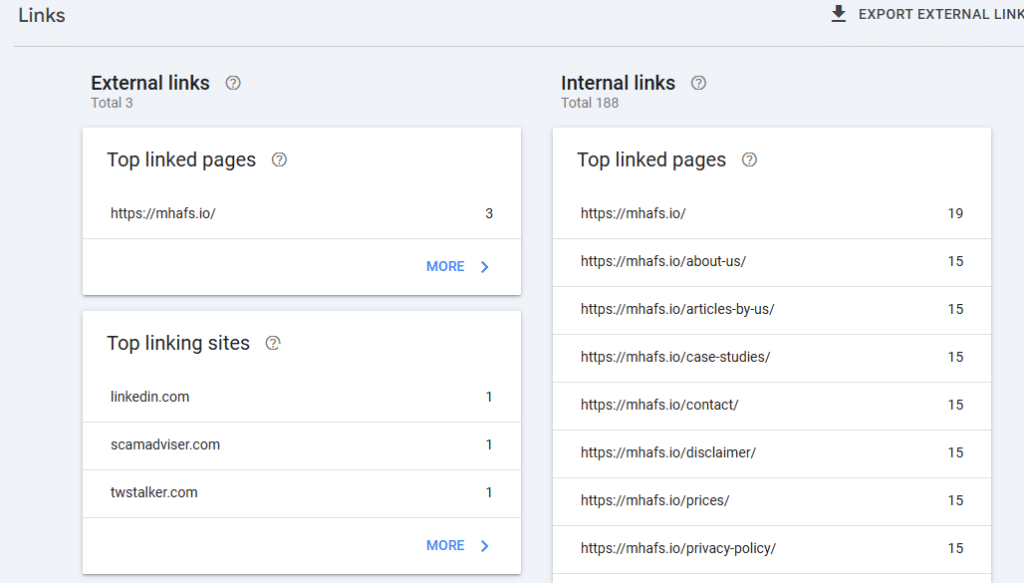
5. Internal Linking
Link to other useful pages on your site.
An example is when you have written about SEO tools, provide them here. This maintains the user’s search and makes Google crawl your work.
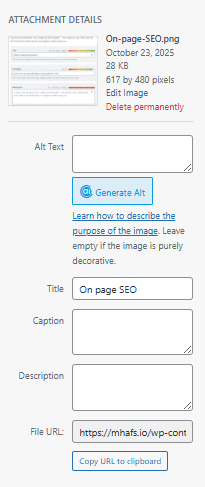
6. Image SEO
Before uploading images, do this:
- Compress them using tools like TinyPNG
- Add alt text describing the image
- Rename files clearly (e.g., seo-tips-guide.jpg instead of IMG_007.jpg)
7. Content Quality
Now, the big one — content.
Your topic should be entirely met by your article.
Tips I follow:
- Write short paragraphs (more than 3 lines long)
- Use bullet points
- Add examples
- Easy as though you were talking to a real person.
Google is intelligent enough to act as it recognises when you are authentic.
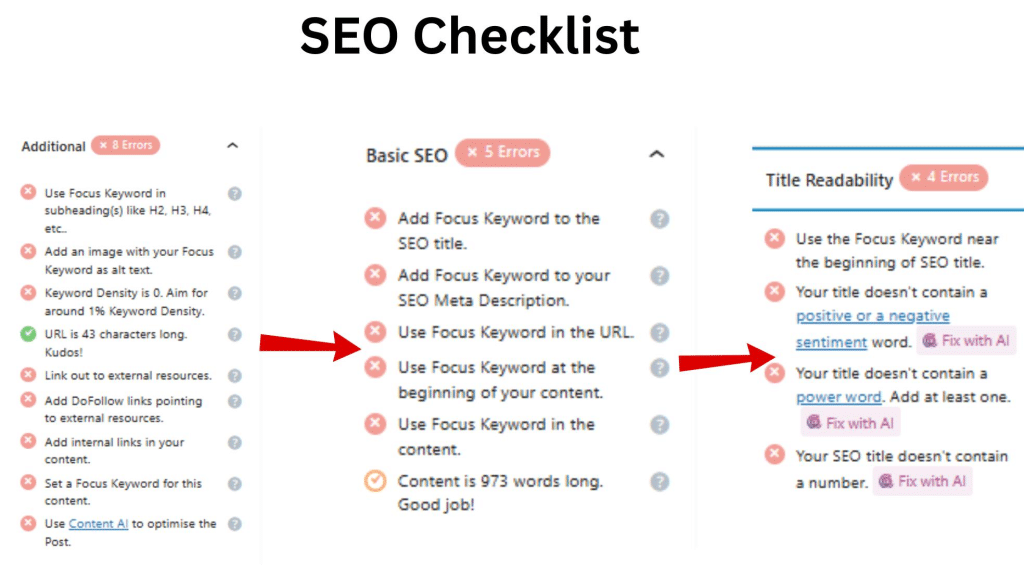
Technical SEO
This section may be technical to some extent, but trust me, it is not that difficult after one understands it.
1. Mobile-Friendly Website
Use Google’s Mobile-Friendly Test to check.
A majority of the users are searching via mobile – in the event your site is not responsive, you will lose them.
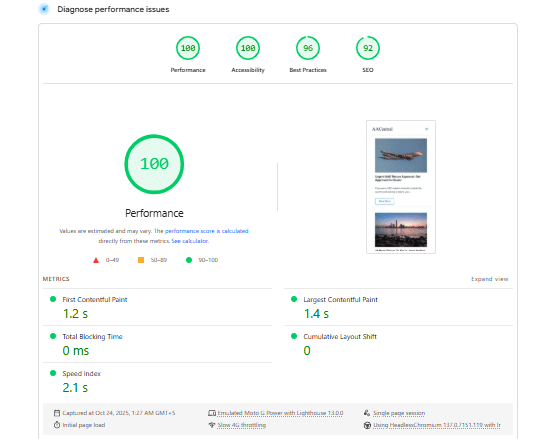
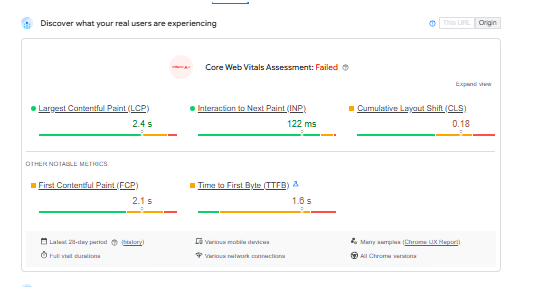
2. Site Speed
Use PageSpeed Insights to test.
Thumbnail images, cache and have a high-speed hosting company.
3. SSL Certificate (HTTPS)
Make sure your site uses HTTPS; it’s a ranking factor and shows users your site is safe.
4. Clean URL Structure
Keep URLs short and descriptive.
✅ /how-to-do-seo-yourself
❌ /index.php?id=34
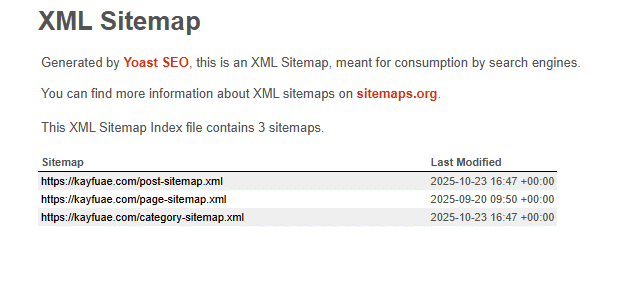
5. Submit Sitemap to Google Search Console
Go to Google Search Console → Sitemaps → Add sitemap.xml
Off-Page SEO (Build Your Reputation)
Now we move beyond your site. That is the way to establish authority over the Internet.
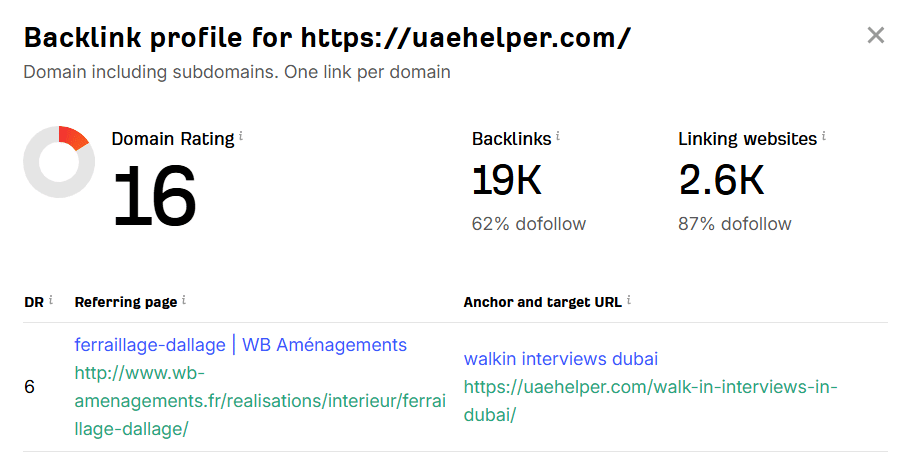
At the beginning, I believed backlinks were spamming blog comments. However, in all cases, quantity is better than quality as a backlink.
How to Build Backlinks Yourself
- Guest Posting: Post on other blogs in your niche.
- Local Citations: Cite your business on Google Maps, Yelp, or local directories.
- Share Content: Pin sniping on Reddit, Quora, and LinkedIn.
- Broken Link Building: Respond to press inquiries – generate high-quality backlinks in the leading news outlets.
A single quality backlink of a reputable site = 100 random spammy backlinks.
Use Google Search Console
I cannot emphasise this enough that Google Search Console (GSC) is your best friend.
Here’s what you can do with it:
- The keywords that attract visitors.
- Pages with impressions and low clicks – work on those titles.
- Detect errors or indexing issues.
- Track your ranking trends.
As soon as I began to look at GSC once per week, I discovered opportunities I was not taking advantage of, such as the pages receiving tons of impressions but nearly no clicks. That was remedied with a superior title.
Keep Updating Old Content
Every 3–6 months, revisit your content and:
- Add new stats or examples
- Update keywords
- Make it easier to read (smaller paragraphs, enhanced flow)
- Re-publish with a new date, should there be a need.
The mere refresh may put an old post on page one.
Track Your Progress
It is not enough to hope that your SEO works; you should monitor it.
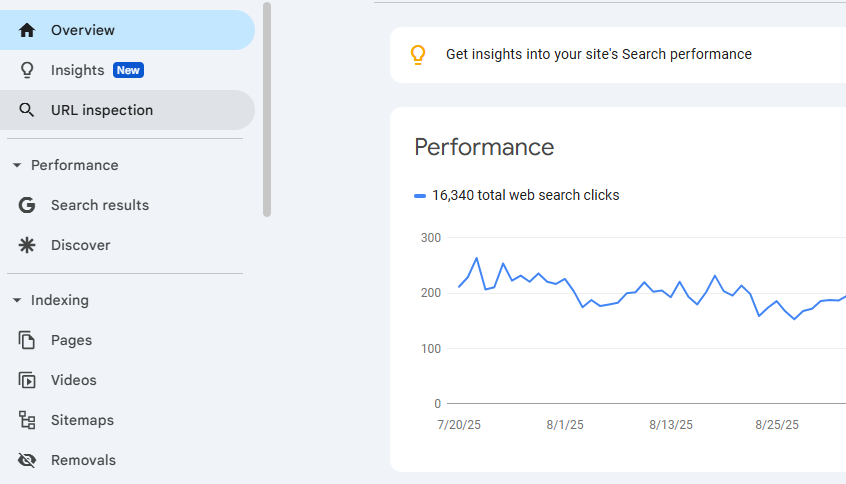
1. Google Search Console
Check rankings, impressions, and click-through rates.
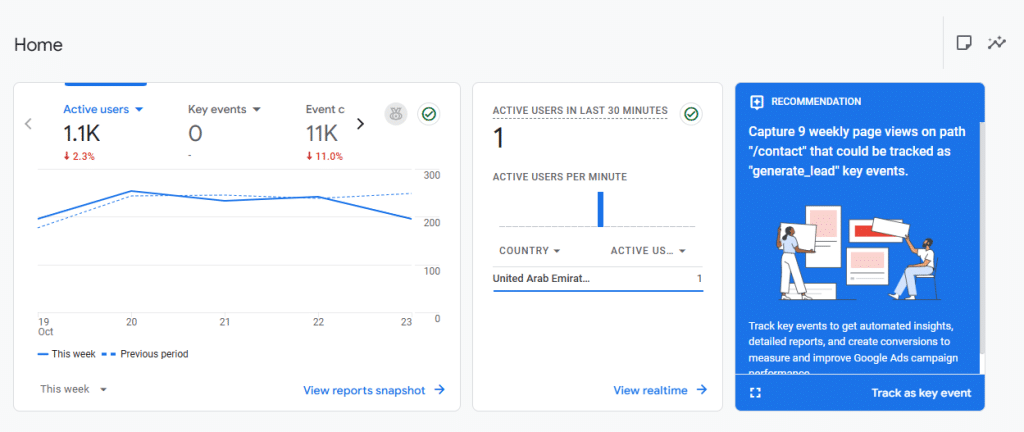
2. Google Analytics
Know the interaction of users with your pages. Examine bounce rate, time on page and engagement.
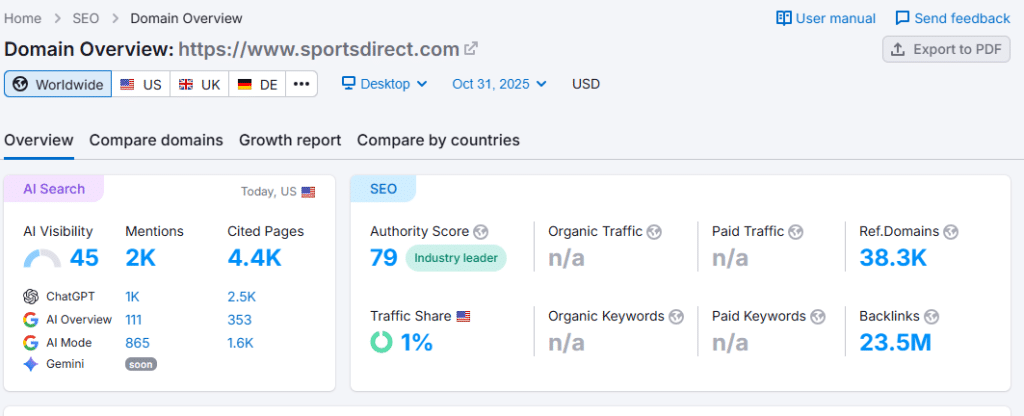
3. Ahrefs / SEMrush (Free Trials)
Monitor backlinks and the movement of keywords occasionally with them.
Optimize for AI & Voice Search (2026 SEO Reality)
We have AI Overviews, Gemini, ChatGPT search, and voice queries at this point.
1. Write Conversationally
Answer questions directly in your content.
Example: “How can I do SEO myself?” → Then answer it right below in one paragraph.
2. Use FAQs and Bullet Points
AI loves structured data. Use the FAQ schema as much as possible.
3. Focus on E-E-A-T (Expertise, Experience, Authoritativeness, Trustworthiness)
Prove that the content was written by a real person. Give your name (Ali), your background (Pakistani writer seeking a Saudi work permit), and your experience.
4. Keep Content Human and Helpful
The artificial intelligence and machine learning of Google algorithms can spot authenticity. You will shine if you write about what you have experienced.
Frequently Asked Questions
1. Can I do SEO on my own?
Yes. Still, every person is capable of learning and using the most significant aspects of SEO, which are, however, not limited to, the search of keywords in the keyword search tool, the on-page optimization, and the linking by having the necessary tools, tutorials, and time.
2. How can a beginner start SEO?
Start with the basics like the research of keywords, optimization of content, and the speed of the sites. Track the progress using free applications, including Google Search Console and Google Keyword Planner.
3. Can ChatGPT help with SEO?
Yes. ChatGPT helps develop the content that is SEO-friendly, determine the keywords, write the meta description, and development of the strategy of the blog.
4. What is the 80/20 rule in SEO?
One can indeed get 20 percent of results with 80 percent input. Instead of technical optimisations, focus on activities with high impact.
Read more: What Should You Pay for SEO in 2026? Honest UK Estimates
Final Words
Self-SEO is not only possible, but also very gratifying. The patient, having the tools and the readiness to learn, can make your website a traffic magnet that does not cost you a fortune through an agency.
Whether the AI tool you use is ChatGPT to assist with the creation of keywords or Google Analytics to monitor the performance, the main point is that one has to test, learn, and improve.