Guide
What Is Technical SEO? Everything It Covers and How to Check Yours
Technical SEO is the work that makes a website easy for search engines to crawl, render, index and understand — and fast and stable for the people who use it. It doesn’t create demand the way content does, and it doesn’t build authority the way links do, but without it neither of those can perform. If content is what you say and links are who vouches for you, technical SEO is whether anyone can hear you at all.
By Asad Ullah, FounderUpdated 19 October 20264 min read
In this article
01
What technical SEO covers
02
Common technical SEO problems we find in audits
03
How to check your own technical SEO
04
When to get professional help
+ 1 more sections, FAQ and next steps
In short: technical SEO = crawlability + indexability + site speed + structure + structured data. Get it wrong and everything else underperforms.
What technical SEO covers
Crawlability
Can search engines reach every page that matters? This includes robots.txt rules, internal linking, XML sitemaps, crawl depth, server response codes and avoiding crawl traps such as infinite calendar pages or faceted filters that generate millions of URLs.
Indexability
Of the pages crawled, which should be stored and shown? Canonical tags, noindex directives, duplicate content handling, pagination and parameter management all decide this. Many sites have thousands of low-value pages indexed and their best pages missing — the gap between “crawled” and “indexed” in Search Console tells the story.
Rendering and JavaScript
Modern sites often load content with JavaScript. Google can render JavaScript, but with delays and limits. Content that only appears after user interaction, or that depends on failed scripts, may never be indexed. Server-side rendering, pre-rendering or simply keeping key content in the HTML avoids the problem.
Site speed and Core Web Vitals
Google measures three user-experience metrics from real visitors: Largest Contentful Paint (loading), Interaction to Next Paint (responsiveness) and Cumulative Layout Shift (stability). Targets are 2.5 seconds, 200 milliseconds and 0.1 respectively. Image delivery, render-blocking CSS and JavaScript, fonts, caching and third-party scripts are the usual culprits.
Site architecture and URLs
A logical hierarchy — home → category → sub-category → page — with descriptive URLs and sensible internal linking helps both users and crawlers, and it distributes authority to the pages you want to rank. Orphan pages (no internal links) and very deep pages are common problems on older sites.
Structured data
Schema markup (Organization, LocalBusiness, Product, Article, FAQ, Breadcrumb and so on) describes your content in a machine-readable way. It enables rich results and helps search engines and AI systems understand entities. It must reflect what is visible on the page.
Security and mobile
HTTPS everywhere, no mixed content, and a responsive design that works on phones — Google indexes the mobile version of your site first.
International and multi-language (where relevant)
Hreflang tags, correct URL structures and consistent targeting so the right version of a page appears in the right country.
Common technical SEO problems we find in audits
- Important pages blocked by robots.txt or noindex left over from development
- Hundreds of thin or duplicate URLs indexed (filters, tags, parameters)
- Redirect chains and loops after migrations
- Core Web Vitals failing on mobile because of unoptimised images and heavy page builders
- Missing or inconsistent canonical tags
- Content loaded only by JavaScript, invisible to crawlers
- Broken internal links and orphaned pages
- Schema that doesn’t match the visible content
Want this done for you?
Our free growth plan applies everything in this article to your site: three opportunities, their value and the cost to win them. No obligation.
How to check your own technical SEO
- Open Google Search Console → Pages: compare “indexed” to “not indexed” and read the reasons.
- Run PageSpeed Insights on your home page and a key template; look at the field (real-user) data, not just the lab score.
- Crawl your site with a tool such as Screaming Frog; look for 4xx/5xx errors, redirect chains, duplicate titles and missing canonicals.
- Search Google for
site:yourdomain.comand scan for pages you don’t recognise. - Test a key page with Google’s Rich Results Test for structured-data errors.
When to get professional help
A small brochure site can usually be kept technically healthy with a good host, a lightweight theme and an SEO plugin. Ecommerce sites, JavaScript-heavy applications, large publishers and any site about to migrate are where specialist technical SEO services pay for themselves — the mistakes are expensive and often invisible until traffic drops.
Frequently asked questions
What is the difference between technical SEO and on-page SEO?
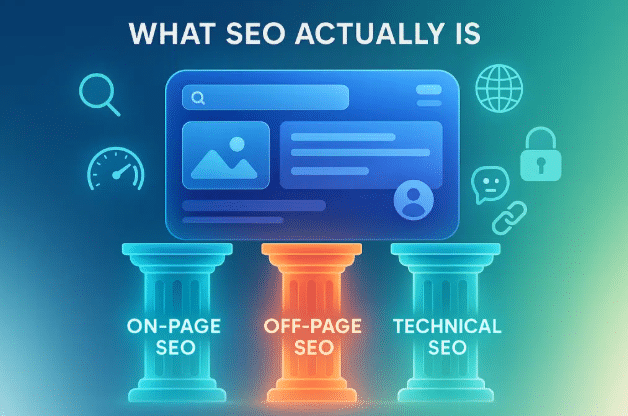
Technical SEO concerns the site as a system (crawling, indexing, speed, structure). On-page SEO concerns the content of individual pages (titles, headings, copy, internal links).
Is technical SEO a one-off job?
No. Sites change constantly — new plugins, templates, products and redirects. An initial audit followed by ongoing monitoring is the normal pattern.
Does site speed really affect rankings?
Yes, Core Web Vitals are a confirmed ranking signal, and speed strongly affects conversion rates regardless of rankings.
What tools are used for technical SEO?
Google Search Console, PageSpeed Insights, Screaming Frog, Sitebulb, Lighthouse and log-file analysers are the common ones.
Not sure what’s under the bonnet of your website? Our technical SEO audit gives you a prioritised fix list — request one here.
Next steps
Related services and guides
Technical SEO services
Audits from £750; Core Web Vitals, crawl and schema fixes.
SEO audit tools
Checkers and crawlers compared.
WordPress SEO
Platform-specific fixes for WordPress sites.
FAQ
Questions we get asked
What does technical SEO include?
Crawlability, indexation, site architecture, page speed and Core Web Vitals, mobile usability, structured data, security and international setup.
Is technical SEO a one-off job?
The audit and major fixes are; monitoring is ongoing because every release, plugin update and new page can introduce problems.
How do I know if my site has technical problems?
Check Search Console’s Pages and Core Web Vitals reports and crawl the site with Screaming Frog. Our free growth plan includes a technical check.
How much does a technical SEO audit cost?
From £750 for a small site with MHAFs, including a prioritised fix list and walkthrough.
Want help applying this?
Send your URL and we will apply the guide to your site in a free written growth plan within three working days.